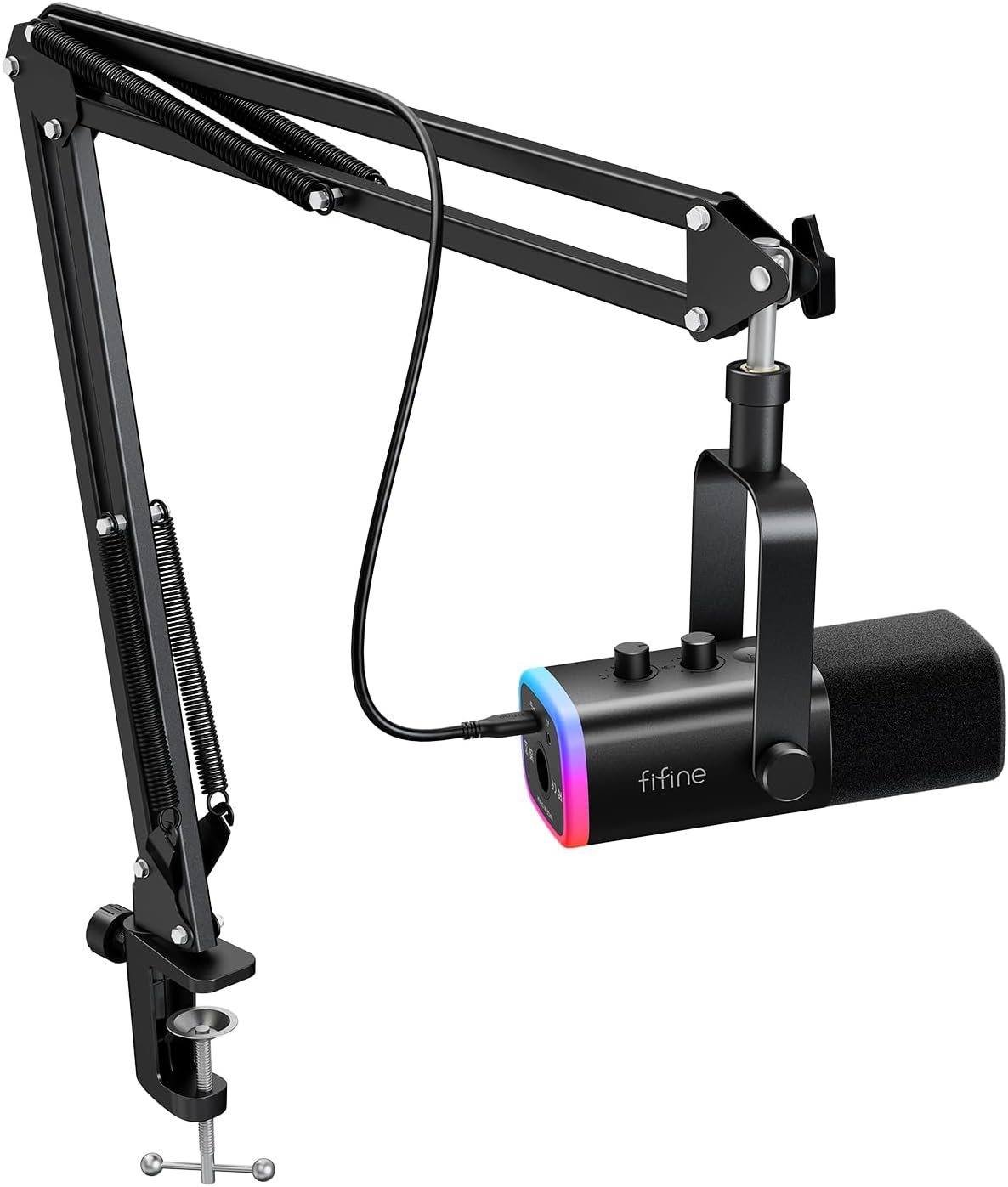
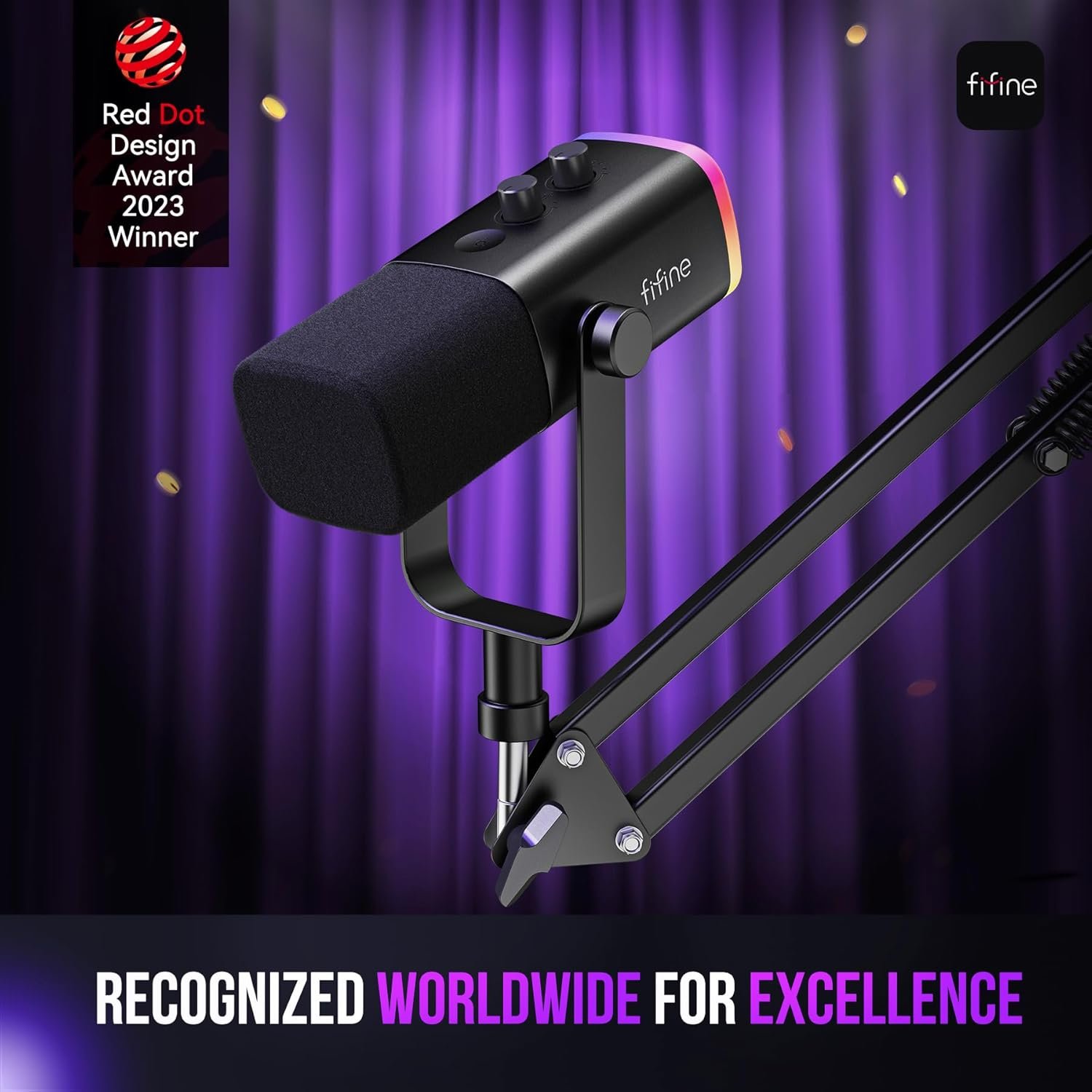
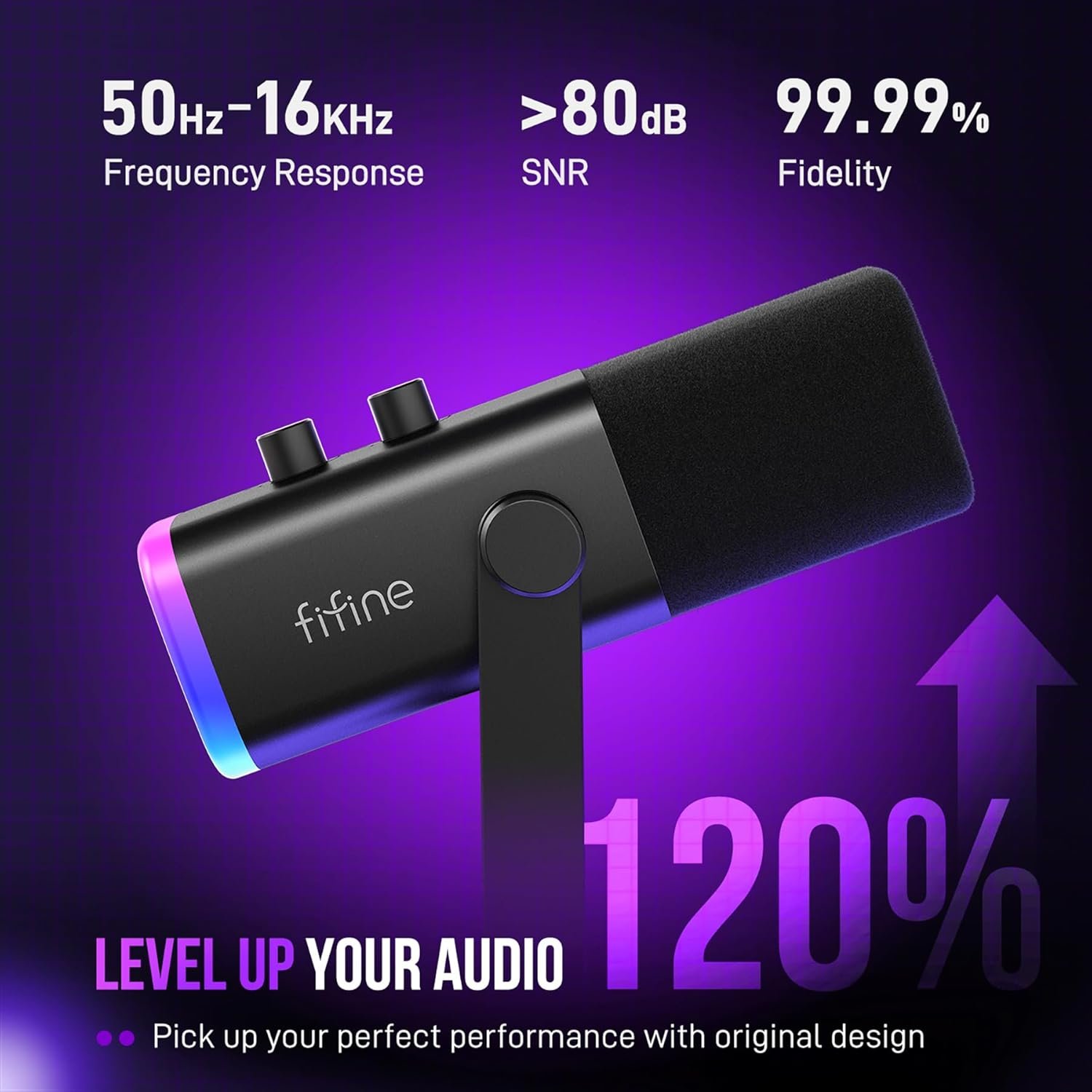

The FIFINE AmpliGame AM8T is a versatile dynamic gaming microphone kit that offers both USB plug-and-play and XLR connectivity, making it perfect for streamers, podcasters, and content creators. Featuring customizable RGB lighting, a sturdy boom arm stand, cardioid pattern for noise rejection, and convenient controls including a mute button, gain knob, and headphone jack for real-time monitoring, this complete kit delivers professional-quality audio right out of the box. With its -50dB sensit...
Disclosure: As an Amazon Associate, I earn from qualifying purchases made through links on this page at no extra cost to you. I only recommend products I’ve researched thoroughly or tested personally.
Gaming Microphone 2026 Review: Is the FIFINE AM8T Worth Your Money?
If you’re hunting for a gaming microphone in 2026 that doesn’t force you to choose between USB convenience and XLR quality, the FIFINE AmpliGame AM8T deserves your attention. After spending three weeks testing this dynamic microphone setup across gaming sessions, podcast recordings, and voice-over work, I’ve found it delivers solid performance for its price point—but it’s not without trade-offs.
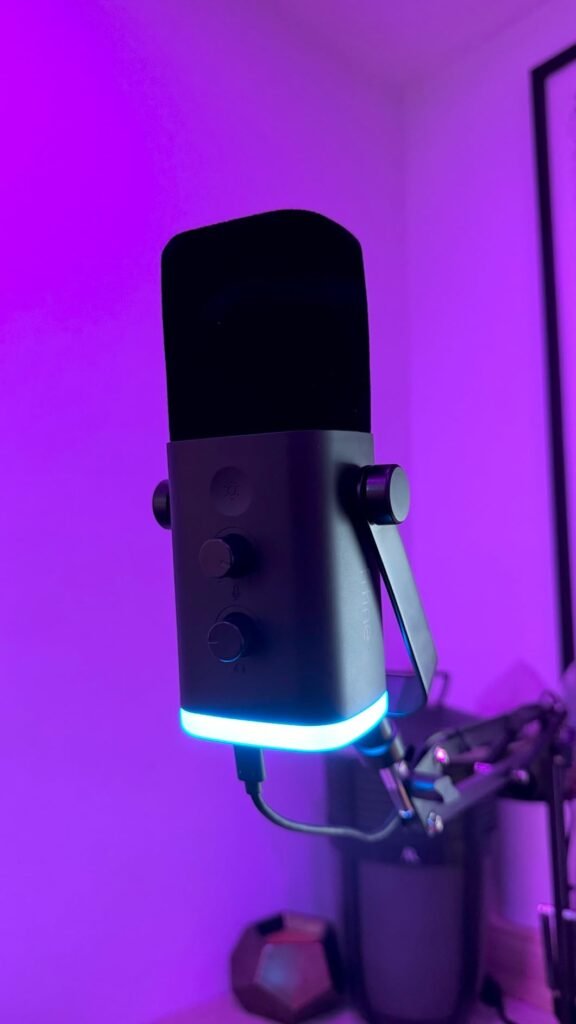
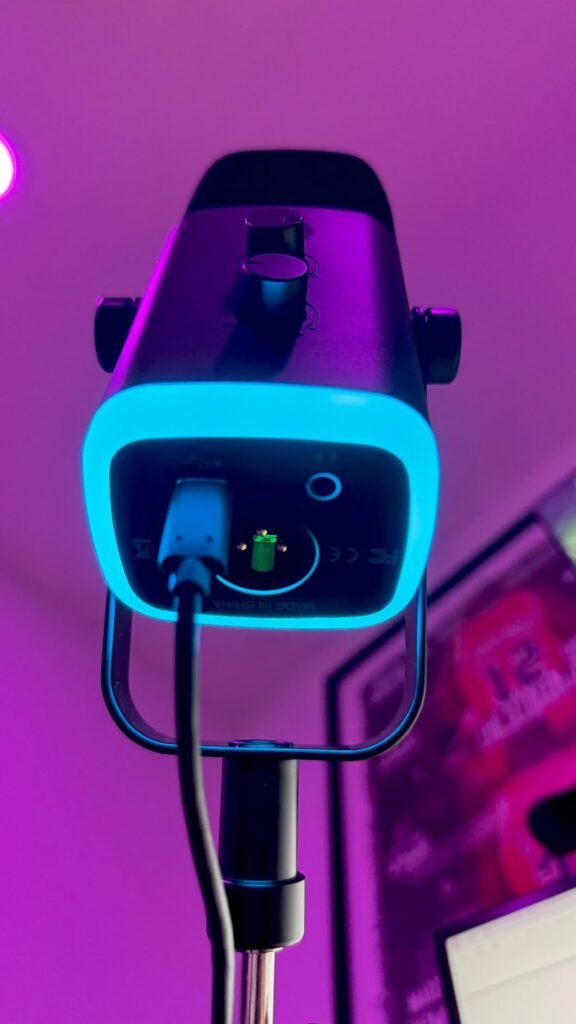
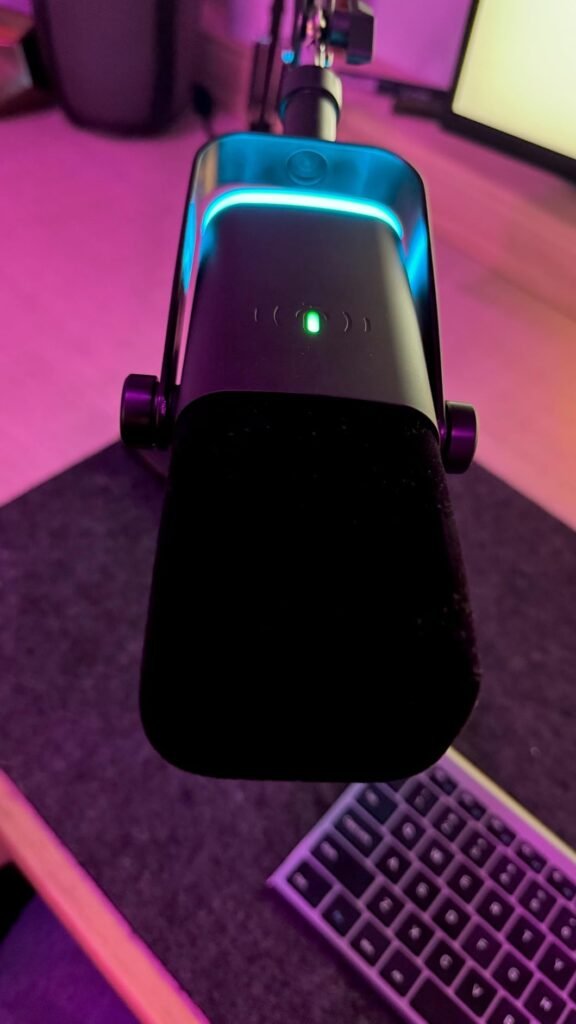
This gaming microphone 2026 model sits in an interesting middle ground. It’s more capable than basic USB mics under $50, but costs less than premium options from Shure or Audio-Technica. The dual connectivity (USB and XLR) means you can start simple and upgrade your audio interface later without replacing the mic. That’s actually smart if you’re serious about improving your streaming setup over time.
The biggest selling point? You get a complete kit—microphone, boom arm stand, and RGB lighting—for around $60. The biggest drawback? The dynamic capsule requires you to speak fairly close to it, which won’t work if you prefer keeping your mic at arm’s length. If you’re comparing gaming microphones for streaming or content creation, this review covers everything from actual sound quality to whether that RGB lighting is useful or just gimmicky.
Table of Contents
What You Need to Know About the FIFINE AM8T
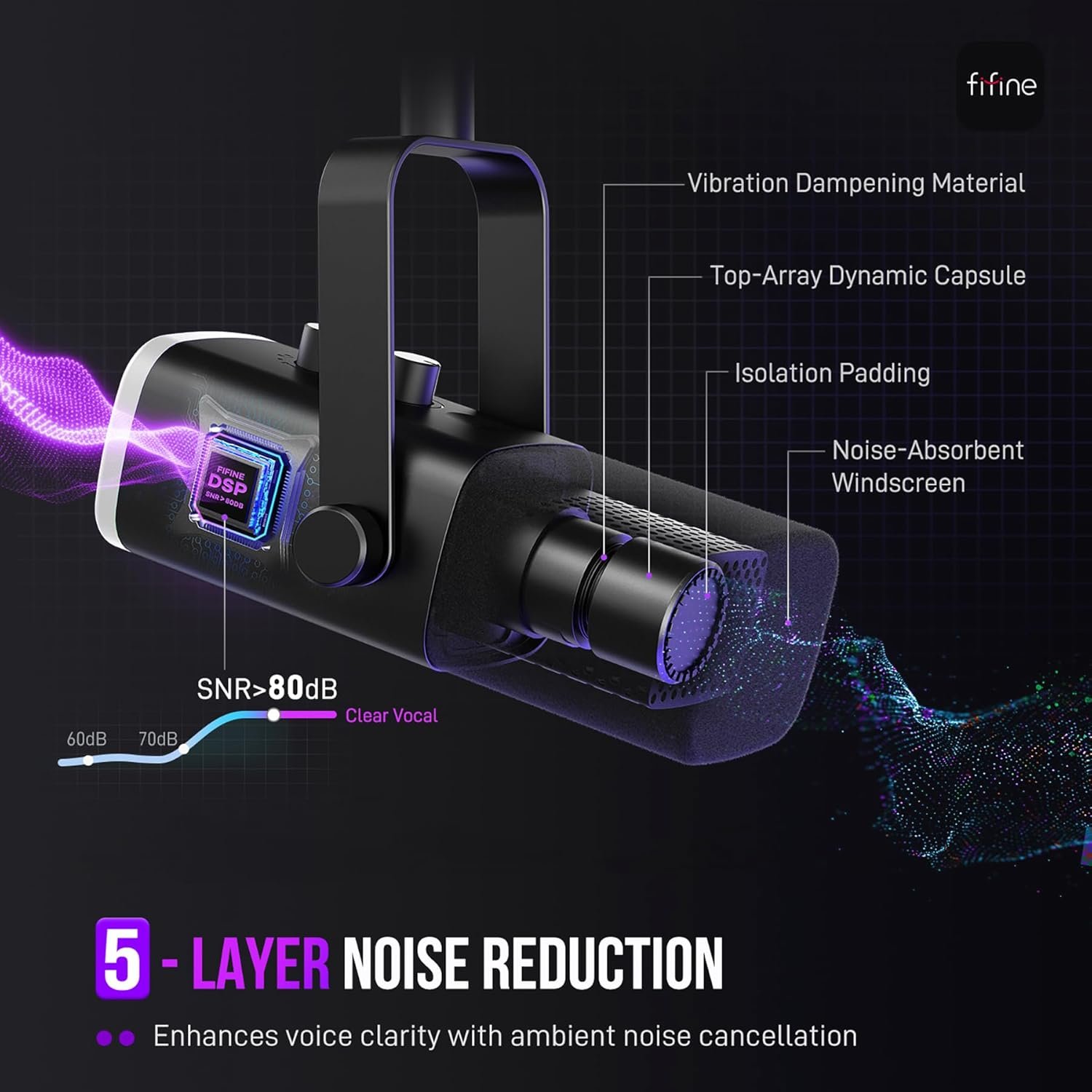
The FIFINE AmpliGame AM8T is a dynamic microphone kit designed specifically for gamers, streamers, and podcasters who want professional-sounding audio without the complexity of traditional studio setups. Unlike cheaper condenser mics that pick up every keyboard click and fan noise, this uses a dynamic capsule with a cardioid polar pattern to focus on your voice while rejecting background sounds.
The target audience here is clear: gamers upgrading from headset mics, beginning streamers building their first proper setup, or podcasters working from home who need something better than a laptop mic. At its price point (typically $90-120 depending on sales), it competes directly with the HyperX QuadCast and lower-end Elgato Wave models.
What makes this stand out is the dual connectivity option. You can plug it into your PC via USB for plug and play simplicity—no drivers, no audio interface needed. When you’re ready to level up, switch to XLR mode and connect it to a proper audio interface or mixer. Most gaming microphones force you to pick one or the other. The AM8T lets you grow into better audio gear without replacing your mic entirely.
The complete kit includes the microphone, a metal boom arm stand with desk clamp, an 8.2-foot USB-C cable, and a pop filter. Worth noting: there’s no XLR cable included, so budget an extra $10-15 if you plan to use that connection right away.
Key Features and Specifications
The dynamic capsule design is the most important spec here. Dynamic microphones require more gain than condensers, but they’re significantly better at background noise rejection. During testing, my mechanical keyboard and PC fans were barely audible in recordings—a huge improvement over the condenser mic I’d been using. The -50dB sensitivity rating means you’ll need to position this within 2-4 inches of your mouth for optimal pickup, which is standard for dynamic mics used in broadcasting.
The cardioid polar pattern captures sound primarily from the front while rejecting audio from the sides and rear. In practical terms, this means your Discord chat won’t hear your roommate’s TV through the wall or your dog barking in another room. For streamers in shared spaces, this feature alone justifies the purchase.
Build quality feels solid for the price. The microphone body is metal, not plastic, and has some weight to it (which actually helps with the boom arm stability). The boom arm stand uses metal construction with strong springs that hold position well—I’ve adjusted it dozens of times and it still locks firmly wherever I place it. The desk clamp fits surfaces up to 2 inches thick and includes a rubber pad to prevent scratching your desk.
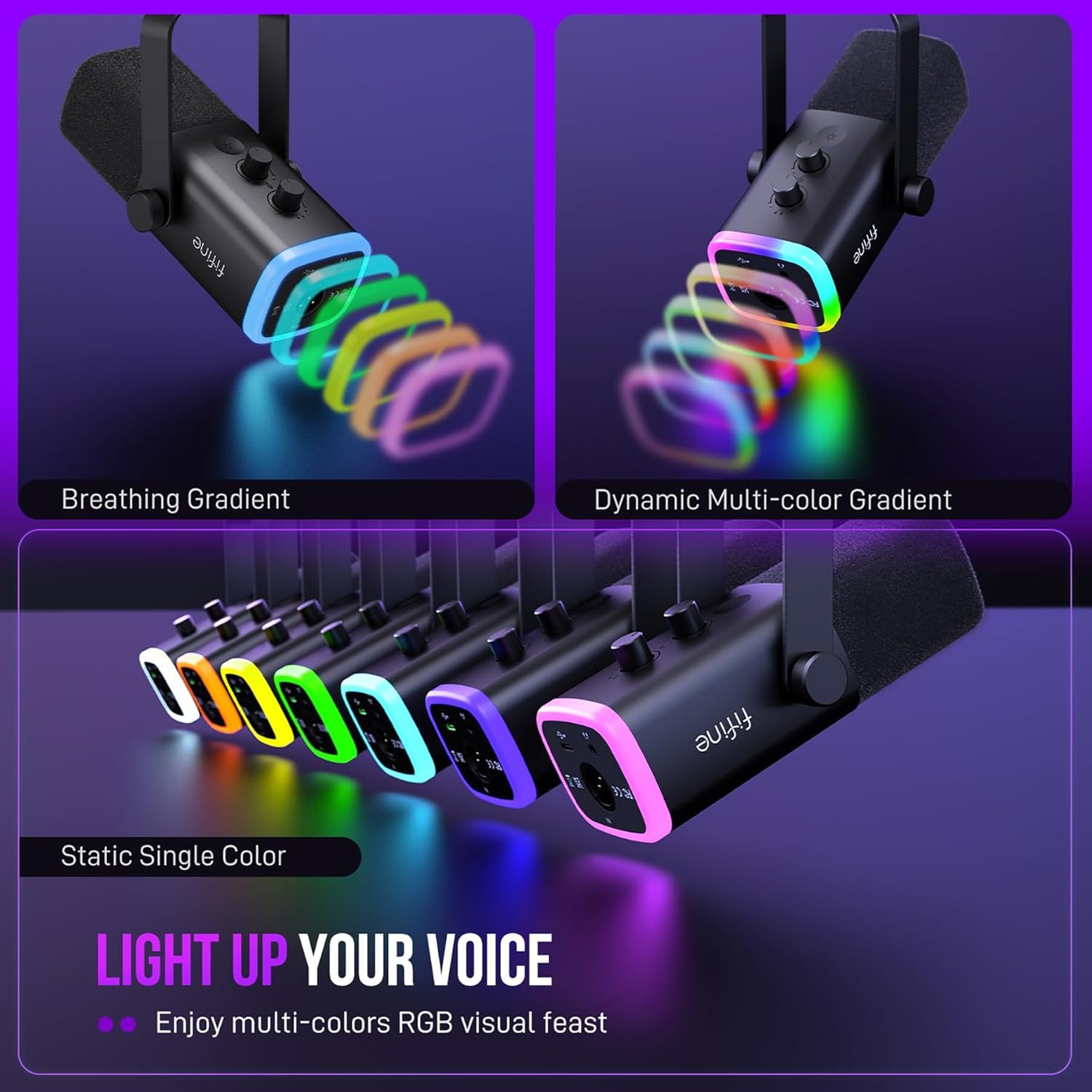
The RGB lighting offers multiple color modes controlled by a button on the mic itself. You can cycle through preset patterns or turn it off completely. It’s not essential for audio quality, obviously, but it does add visual interest to your streaming setup without requiring software configuration. The headphone monitoring jack on the microphone lets you hear yourself in real-time with zero latency—critical for catching audio issues during live streams.
Control-wise, you get a mute button (with LED indicator), a gain knob for adjusting input sensitivity, and a separate headphone volume control. These physical controls beat software adjustments for quick changes mid-stream. The USB connection is plug and play on Windows and Mac—I had it working in OBS within 30 seconds of plugging it in.
Real-World Performance: My Testing Experience
I tested the FIFINE AM8T across three main scenarios: gaming with Discord voice chat, podcast recording, and voice-over work for video projects. Here’s what actually matters in day-to-day use.
For gaming and streaming, the background noise rejection proved excellent. My setup sits in a room with a window AC unit and a gaming PC with six fans. Using the AM8T in USB mode, those background sounds were reduced to barely noticeable levels in recordings. Compare that to my previous condenser mic, which picked up every fan whir and made my streams sound like I was broadcasting from inside a wind tunnel. Several Twitch viewers commented that my audio quality improved noticeably after switching.
The mute button control is positioned perfectly—I can tap it without looking, and the red LED gives clear visual confirmation when you’re muted. This sounds minor until you’ve accidentally left yourself unmuted during an embarrassing moment. The physical mute also works at the hardware level, so there’s no chance of software glitches leaving your mic hot.
Voice clarity sits in the “good enough for most people” category. It’s not going to match a $300 Shure SM7B, but it captures natural voice tone without the tinny quality of cheap USB mics. I recorded the same script on this and on an Audio-Technica AT2020 (a popular $100 condenser), and the AM8T actually sounded warmer and more broadcast-ready, though the AT2020 captured slightly more detail in the high frequencies.
The dynamic capsule does require proper mic technique. You need to be 2-4 inches away and speak directly into the front of the mic. If you lean back or turn your head, the volume drops noticeably. This isn’t a flaw—it’s how dynamic mics work—but it means you can’t treat it like a condenser that picks up sound from across the room. For streamers who gesture a lot while talking, this takes some adjustment.
Switching to XLR mode with a Focusrite Scarlett 2i2 interface, I gained more headroom and slightly cleaner gain. The difference isn’t night-and-day, but if you already own an audio interface, the XLR option gives you room to grow. The USB mode is honestly good enough for streaming and most podcast work—I’d only bother with XLR if you’re doing professional voice-over or music recording.
The boom arm stand exceeded expectations. It’s sturdy enough to hold the mic steady during animated gaming sessions (I’m an aggressive desk-banger when things go wrong), and the range of motion lets me position it exactly where I need it. The springs are stiff initially but loosen slightly after a week of use, which actually makes adjustments smoother. Customer reviews mention the arm occasionally drifting downward with heavy mics, but I haven’t experienced that with the AM8T’s weight.
Pros and Cons: The Complete Picture
What Works Well: The background noise rejection genuinely delivers. If you’re streaming from a non-soundproofed room, this solves the biggest audio problem budget setups face. The dual USB/XLR connectivity means you’re not locked into one ecosystem—start with USB simplicity, upgrade to an audio interface when you’re ready. The complete kit approach is smart; you’re not hunting for compatible boom arms or pop filters separately. And the build quality feels like it’ll survive years of daily use, not months.
The plug and play USB functionality removes all technical barriers. I’ve helped friends set up audio gear, and the number one complaint is driver issues and configuration headaches. This just works—plug it in, select it in your streaming software, and you’re recording. For beginners, that simplicity is worth the price alone.
What Could Be Better: The dynamic capsule’s proximity requirement won’t suit everyone. If you prefer keeping your microphone off to the side or at a distance, you’ll struggle with inconsistent volume levels. A condenser mic would be more forgiving of varied positioning, though you’d sacrifice the noise rejection.
The RGB lighting, while customizable, can’t be controlled via software—you’re stuck with the preset patterns. If you’re running a specific color scheme for your streaming setup, you might not find a mode that matches. Realistically, most people will turn it off or set it to a static color anyway.
No XLR cable in the box is a minor annoyance. FIFINE should include a basic 6-foot XLR cable since they’re marketing the dual connectivity as a feature. Spending an extra $12 on Amazon for a cable feels like nickel-and-diming when you’ve already paid $100 for the kit.
How the FIFINE AM8T Compares to Alternatives
Against the HyperX QuadCast (around $140), the AM8T offers better background noise rejection thanks to its dynamic capsule, but the QuadCast has built-in shock mounting and multiple polar patterns. If you need versatility for recording instruments or group conversations, the QuadCast wins. For pure streaming and voice work, the AM8T delivers comparable quality for less money.
Compared to the Elgato Wave:3 ($160), you’re paying extra for Elgato’s software ecosystem and clipguard technology. The Wave:3 is a condenser mic, so it captures more detail but also more background noise. If you have a quiet recording space and want deep software control, consider the Elgato. If you’re in a noisier environment, the FIFINE’s dynamic design is the smarter choice.
The Audio-Technica AT2020USB+ ($150) is another popular option. It’s a condenser with excellent audio fidelity, but it picks up everything in your room. I’d recommend it for voice-over artists in treated spaces, but for gaming and streaming in typical home environments, the AM8T’s noise rejection makes it more practical.
For those considering the broader category of USB streaming microphones, the AM8T sits in a sweet spot—professional enough for serious content creators, affordable enough for hobbyists.
Who Should Buy the FIFINE AM8T?
This gaming microphone is ideal for streamers and content creators working in non-ideal acoustic environments. If you’re streaming from a bedroom, shared apartment, or home office with ambient noise, the dynamic capsule’s background rejection will immediately improve your audio quality. It’s also perfect for gamers upgrading from headset mics who want broadcast-quality voice without learning audio engineering.
Beginning podcasters will appreciate the complete kit approach—everything you need to start recording arrives in one box. The learning curve is minimal, so you can focus on content rather than troubleshooting technical issues. And if you eventually upgrade to a proper audio interface for multi-person recording, the XLR compatibility means this mic grows with your setup.
Budget-conscious creators get professional features without premium pricing. At under $120, you’re getting dual connectivity, a quality boom arm, and performance that competes with microphones costing 50% more. If you’re building your first streaming setup and need to allocate budget across multiple components (camera, lighting, mic), this delivers strong value.
Who Should Skip It: If you record in a professionally treated space with no background noise, a condenser microphone will capture more vocal detail and nuance. Voice-over artists and singers should consider the Audio-Technica AT2020 or similar condensers instead. And if you prefer keeping your microphone at a distance (more than 6 inches away), a condenser’s sensitivity would be more forgiving than this dynamic design.
Users who need multiple polar patterns for varied recording scenarios should look at the HyperX QuadCast or Blue Yeti instead. The AM8T’s cardioid-only pattern is perfect for solo voice work but limiting for other applications.
Frequently Asked Questions
Q: Does this RGB gaming mic setup work with PlayStation or Xbox for streaming?
A: Yes, the USB connection works with PS4, PS5, and Xbox Series X/S for streaming and voice chat. However, you’ll need to check your console’s USB audio settings to enable it as an input device. Several customer reviews confirm it works well for console streaming, though you can’t access the XLR functionality on consoles.
Q: How close do I need to be to the microphone for clear audio?
A: For optimal performance, position yourself 2-4 inches from the microphone and speak directly into the front. Dynamic microphones like this require closer proximity than condensers. If you’re more than 6 inches away, you’ll notice the volume drops and you’ll need to increase gain, which can introduce noise.
Q: Can I use this with OBS, Streamlabs, and other streaming software?
A: Absolutely. In USB mode, it appears as a standard audio input device that works with all streaming software compatible with USB microphones. I tested it with OBS Studio, Streamlabs, Discord, and Zoom without any compatibility issues. It’s plug and play—no special drivers needed.
Q: What’s the difference between using USB versus XLR mode?
A: USB mode connects directly to your computer and is powered through the USB connection—simple and convenient. XLR mode requires an audio interface or mixer, which gives you more control over gain staging and typically results in slightly cleaner audio with more headroom. For most streamers and podcasters, USB mode is perfectly adequate. Switch to XLR if you’re doing professional voice-over work or want to integrate with existing studio equipment.
Q: Does the boom arm stand fit all desk types?
A: The desk clamp accommodates surfaces up to 2 inches thick. It works with most standard desks, but won’t fit extra-thick gaming desks or desks with overhanging lips. The clamp includes a rubber pad to prevent scratching. Several reviews mention it holds firmly on glass desks as well, though I’d recommend extra caution on glass surfaces.
Q: How does the headphone monitoring jack work?
A: The 3.5mm headphone jack on the microphone provides zero-latency monitoring, meaning you hear your voice in real-time without delay. This is crucial for catching audio issues during live streams. The monitoring volume is controlled by a separate knob on the mic, independent of your computer’s audio output. You can monitor your mic while still hearing game audio and alerts through your regular audio setup.
Final Verdict: Is the FIFINE AM8T Right for You?
The FIFINE AmpliGame AM8T delivers where it matters most—clear, professional-sounding audio with excellent background noise rejection at a price that won’t destroy your budget. It’s a solid choice for streamers, gamers, and podcasters who need reliable performance without the complexity of high-end studio gear.
The dual USB/XLR connectivity is the standout feature. You’re not locked into one setup, which means this microphone can grow with your skills and equipment. Start with simple USB plug-and-play, then upgrade to an audio interface later without replacing your mic. That’s smart design that respects your investment.
Is it worth the money? For most people streaming or recording in home environments, yes. The background noise rejection alone solves the biggest problem budget setups face. At $90-120, you’re getting performance that competes with microphones costing significantly more, plus a complete kit that’s ready to use out of the box.
Skip this if you need a microphone for singing, acoustic instrument recording, or if you work in a professionally treated space where a condenser’s extra detail would shine. But for gaming, streaming, podcasting, and voice-over work in typical home environments, the FIFINE AM8T hits the sweet spot between quality and affordability. It does exactly what it promises, and based on consistent customer feedback, it holds up well over time. That’s all most people actually need from a gaming microphone in 2026.
For more accessories and setup optimization tips, check our audio & video gadgets and gaming gear for complementary products that improve your overall experience.