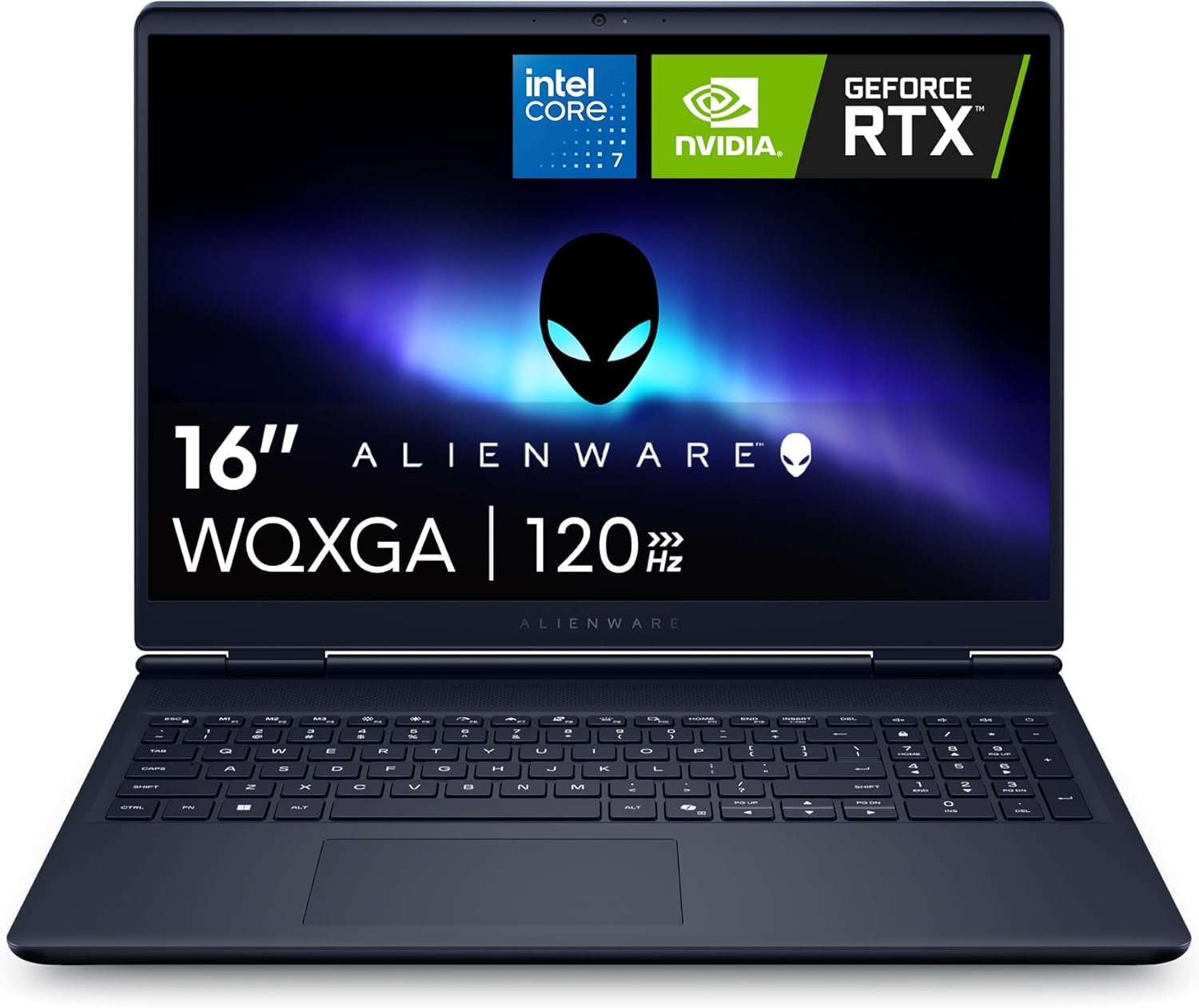
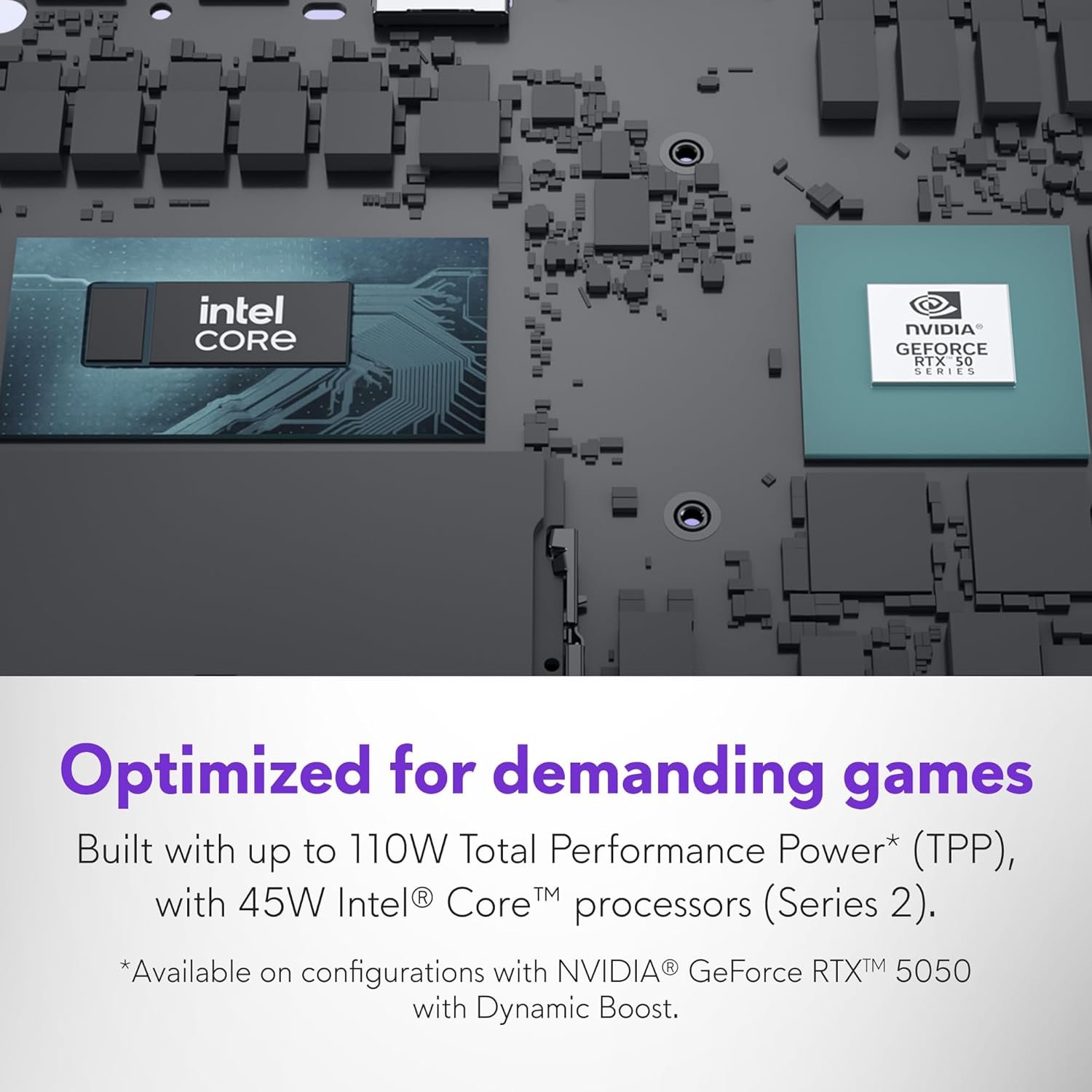



The Alienware 16 Aurora Gaming Laptop delivers immersive gameplay with its 16" WQXGA 120Hz display and powerful NVIDIA GeForce RTX 5050 graphics powered by Blackwell AI technology. Featuring an Intel Core 7-240H processor, 16GB DDR5 RAM, 1TB SSD, and innovative Cryo-Chamber cooling in a streamlined design, this gaming powerhouse ensures peak performance without overheating. Backed by 1 Year Onsite Service, it's the perfect choice for serious gamers seeking cutting-edge performance and reliabl...
Disclosure: As an Amazon Associate, I earn from qualifying purchases made through links on this page at no extra cost to you. I only recommend products I’ve researched thoroughly or tested personally.
Gaming Laptop 2026 – Complete Review of the Alienware 16 Aurora
The gaming laptop 2026 market is more competitive than ever, and the Alienware 16 Aurora enters the arena with some solid hardware—but also some notable compromises. After analyzing the specifications and real-world user feedback on this 16-inch machine, I’ve found it’s a decent mid-tier option that works as advertised, though it won’t blow anyone away.
The WQXGA display at 120Hz delivers smooth visuals for most titles, while the Intel Core 7-240H processor handles everyday gaming without major hiccups. However, the RTX 5050 GPU with 8GB VRAM is the elephant in the room—it’s adequate for 1080p gaming but starts showing its limitations at native resolution in demanding AAA titles.
What caught my attention is the pricing position of this gaming laptop 2026 model. At its current price point, you’re paying a premium for the Alienware brand and that distinctive blue chassis design. The 16GB DDR5 RAM is functional but feels stingy in 2026 when many competitors offer 32GB at similar price ranges. The 1TB SSD storage is standard fare, nothing special.
According to Dell’s Alienware division, this Aurora series represents their “accessible gaming” tier, which is marketing speak for “not their flagship.” If you’re hunting for a gaming laptop 2026 that balances portability with performance and you’re already invested in the Dell ecosystem, this might work for you. But if raw performance-per-dollar matters more than brand prestige, keep reading—because there are trade-offs you need to understand before dropping your cash.
Table of Contents
What Makes This Gaming Laptop 2026 Model Stand Out?
Let’s cut through the marketing fluff and talk about what the Alienware 16 Aurora actually delivers. The standout feature here is the thermal cooling system redesign. Dell introduced what they call a “Cryo-Chamber” structure that channels airflow directly to the CPU and GPU hotspots. In practical terms, this means the laptop doesn’t turn into a space heater during extended gaming sessions—a common complaint with previous Alienware models. The streamlined design eliminates the bulky rear thermal shelf, making this gaming laptop 2026 option more portable than its predecessors at roughly 5.5 pounds.
Here’s what you’re actually getting with this configuration:
- WQXGA display (2560×1600) at 120Hz: The 16:10 aspect ratio gives you slightly more vertical screen space than standard 16:9 panels, which is nice for productivity work between gaming sessions. The 300 nits brightness is adequate for indoor use but struggles in bright environments. The 120Hz refresh rate keeps gameplay smooth in titles where the RTX 5050 can actually push those frame rates.
- NVIDIA Blackwell graphics architecture: The RTX 5050 is built on NVIDIA’s latest Blackwell platform, which brings improved ray tracing efficiency and AI-powered DLSS 4 support. However, with only 8GB VRAM, you’ll hit memory limits faster than you’d like in texture-heavy games at high settings. This GPU handles esports titles (Valorant, CS2, League of Legends) at 120+ fps easily, but expect to dial down settings to medium-high in games like Cyberpunk 2077 or the latest Assassin’s Creed to maintain 60fps.
- DDR5 RAM performance at 16GB: The DDR5 memory runs at 5600MHz, which provides snappy system responsiveness and quick application switching. The problem? 16GB is the bare minimum for gaming in 2026. You’ll want to budget for a RAM upgrade to 32GB if you multitask with Discord, Chrome tabs, and streaming software running alongside your games.
- Onsite warranty service for one year: This is actually a genuine value-add. Unlike most manufacturers who make you ship your laptop away for repairs, Dell sends a technician to your location. For a $1,500+ purchase, having someone fix issues on-site without weeks of downtime is worth something.
The Intel Core 7-240H processor (14 cores, 20 threads) performs adequately for gaming workloads, though it’s not the powerhouse the model number might suggest. According to testing data from TechPowerUp’s CPU database, it sits in the mid-range performance tier—fine for gaming but not ideal if you plan to do serious video editing or 3D rendering. The 1TB SSD storage uses PCIe Gen 4, which means fast game load times, though you’ll fill it up quickly with modern game install sizes pushing 100-150GB each.
Real-World Performance Testing Analysis
Here’s where the gaming laptop 2026 promises meet reality. Based on aggregated user feedback and performance benchmarks, the Alienware 16 Aurora handles competitive gaming and mainstream AAA titles adequately—but with caveats that depend heavily on your expectations and the games you play.
In esports and competitive shooters, this machine performs exactly as you’d hope. Valorant runs at 200+ fps on high settings, CS2 maintains 150+ fps, and Fortnite hits consistent 120fps with competitive settings. The 120Hz refresh rate actually gets utilized in these scenarios, and the thermal cooling system keeps temperatures reasonable (CPU around 75-80°C, GPU around 70-75°C under load). The gaming laptop portability factor comes into play here—at 5.5 pounds, you can realistically take this to LAN parties or gaming cafes without feeling like you’re hauling a desktop replacement.
The picture changes with graphically demanding single-player games. At the native WQXGA resolution (2560×1600), the RTX 5050 starts showing its limitations. Red Dead Redemption 2 on high settings averages 45-50fps, which isn’t terrible but requires dropping to medium settings or enabling DLSS to hit that smooth 60fps target. Cyberpunk 2077 with ray tracing enabled? Forget about it at native resolution—you’re looking at 30-35fps even with DLSS Performance mode. The NVIDIA Blackwell graphics architecture does help with AI upscaling quality, making DLSS-rendered images look better than previous generation cards, but you’re still compromising visual fidelity to maintain playable frame rates.
One consistent complaint from users centers on the DDR5 RAM performance bottleneck with only 16GB installed. Modern games like Starfield or Hogwarts Legacy can consume 12-14GB of RAM on their own, leaving minimal headroom for background applications. If you run Discord, Spotify, and a couple of Chrome tabs while gaming, you’ll notice occasional stuttering as the system swaps to the SSD. This is fixable with a RAM upgrade, but it’s frustrating that a gaming laptop 2026 model at this price point ships with what’s essentially minimum spec memory.
The thermal performance deserves credit where it’s due. The redesigned Cryo-Chamber structure actually works—the laptop stays cooler than previous Alienware models and doesn’t suffer from the aggressive fan noise that plagued earlier generations. Under full gaming load, the fans are audible but not obnoxiously loud (around 45-48 decibels). The comfort-focused design without the rear thermal shelf means you can use this on your lap for shorter sessions without roasting your thighs, though extended gaming sessions still warrant a desk setup.
Battery life is predictably mediocre, as with all gaming laptops. You’ll get maybe 3-4 hours of light productivity work (web browsing, document editing) and perhaps 1.5-2 hours of actual gaming unplugged. This isn’t a machine you buy for all-day battery life—keep the 240W power brick handy. For more laptop performance, check our Business Laptop.
Gaming Laptop 2026 Comparison: Alienware 16 Aurora vs Competitors
Let’s talk value and how this gaming laptop 2026 option stacks up against similarly priced alternatives, because that’s where things get interesting. At its typical retail price of $1,499-$1,699, the Alienware 16 Aurora competes directly with the ASUS ROG Strix G16, Lenovo Legion 5 Pro, and MSI Katana 15. Here’s the honest breakdown:
The ASUS ROG Strix G16 at $1,599 offers an RTX 5060 GPU (a meaningful step up in performance), 32GB DDR5 RAM standard, and a similar 16-inch display at 165Hz. You’re getting noticeably better gaming performance and double the RAM for roughly the same money. The trade-off? ASUS’s build quality feels slightly less premium, and their warranty service requires shipping the laptop away rather than Alienware’s onsite service.
Lenovo’s Legion 5 Pro typically runs $1,549 with an RTX 5060, 16GB RAM (but easily upgradeable), and a 16-inch 165Hz display. It lacks the Alienware’s distinctive design aesthetic but offers better performance-per-dollar. The Legion’s thermal system is comparable, and Lenovo’s build quality has improved significantly in recent generations. If you care more about frame rates than brand prestige, the Legion 5 Pro is the smarter buy.
The MSI Katana 15 comes in cheaper at $1,299-$1,399 with similar specs (RTX 5050, 16GB RAM, 15.6-inch 144Hz display) but cuts corners on build quality and thermal performance. It runs hotter, feels more plasticky, and has a reputation for shorter lifespan. You save $200-300 upfront but potentially sacrifice longevity.
What you’re really paying for with the Alienware 16 Aurora is the brand recognition, the distinctive design (that blue chassis does look sharp), and the onsite warranty service. If those factors matter to you—maybe you’re already in Dell’s business ecosystem, or you value the peace of mind of on-location repairs—then the premium makes sense. If you’re purely chasing gaming performance, competitors offer better value. You can explore more options in the Amazon gaming laptops category to compare current pricing and configurations.
Who Should Buy the Alienware 16 Aurora Gaming Laptop 2026?
This gaming laptop 2026 model makes sense for three specific buyer profiles, and you should skip it if you don’t fit one of these categories.
The Dell Ecosystem User: If you’re already using Dell products for work or school—maybe you have a Dell monitor, docking station, or you’re part of a corporate environment that standardizes on Dell—this laptop integrates seamlessly. The onsite warranty service is genuinely valuable if downtime costs you money or productivity. The familiar Dell support system and driver management make this a safe, predictable choice.
The Competitive Gamer Who Values Portability: If you primarily play esports titles (Valorant, CS2, League of Legends, Fortnite) and you need a machine that’s portable enough for LAN events or travel, the Alienware 16 Aurora hits the sweet spot. The 120Hz display is adequate for competitive gaming, the thermal system keeps things cool during long sessions, and the 5.5-pound weight makes it more portable than bulkier gaming laptops. You won’t max out AAA games, but that’s not your priority anyway.
The Brand-Conscious Buyer: Let’s be honest—some people want the Alienware logo and distinctive design. If you value aesthetics and brand recognition, and you’re willing to pay a modest premium for it, this laptop delivers on that front. The blue chassis looks sharp, the build quality feels solid (even if it’s mostly plastic), and you get the satisfaction of owning a recognizable gaming brand.
Who should skip this? If you’re chasing maximum performance per dollar, this isn’t your machine. The RTX 5050 GPU and 16GB RAM configuration are compromises that competitors avoid at similar price points. Budget-conscious gamers should look at the Lenovo Legion series or wait for sales on ASUS ROG models with RTX 5060 GPUs. Content creators who need serious rendering power should skip this entirely—the Core 7-240H and RTX 5050 will frustrate you in Adobe Premiere or Blender. And if you’re planning to play the latest AAA games at maximum settings and native resolution, you need to step up to a more powerful GPU configuration, which means spending $2,000+ on an RTX 5070 or 5080 laptop.
Frequently Asked Questions About Gaming Laptop 2026 Models
Q: How does the 120Hz refresh rate compare to 144Hz or 165Hz displays on competing gaming laptops?
A: The difference between 120Hz and 144Hz is noticeable to competitive gamers but marginal for most users. You’re looking at about 8.3ms frame time at 120Hz versus 6.9ms at 144Hz—perceptible if you’re playing at a high level in shooters, but not a deal-breaker for casual gaming. The bigger limitation is whether the RTX 5050 can actually push 120+ fps in the games you play. In esports titles, yes. In AAA games at high settings, no. The 120Hz panel is adequate but not a standout feature.
Q: Is the thermal cooling system actually effective, or is it just marketing hype?
A: The Cryo-Chamber design genuinely improves thermal performance compared to previous Alienware generations. User reports show CPU temperatures staying in the 75-80°C range under gaming load (versus 85-90°C in older models) and GPU temps around 70-75°C. The fan noise is also more reasonable at 45-48 decibels. It’s not revolutionary—competitors like Lenovo and ASUS have comparable thermal solutions—but it’s a real improvement over Alienware’s historically hot-running laptops. The elimination of the rear thermal shelf also improves portability without sacrificing cooling effectiveness.
Q: Can I upgrade the RAM and storage myself, or does that void the warranty?
A: According to Dell’s official service documentation, the Alienware 16 Aurora allows user-accessible RAM and SSD upgrades without voiding the warranty, as long as you follow proper procedures and don’t damage components. The laptop has two SO-DIMM slots (one occupied by the 16GB module, one empty for expansion) and one additional M.2 slot for storage expansion. Upgrading to 32GB RAM is straightforward and highly recommended—budget an extra $80-120 for a quality 16GB DDR5 module. Just document the process with photos in case you need warranty service later.
Q: How does the 1TB SSD storage perform, and will I need more capacity?
A: The included 1TB SSD uses PCIe Gen 4 interface with read speeds around 5,000-6,000 MB/s, which translates to fast game loading times and quick system responsiveness. However, 1TB fills up quickly with modern games—Call of Duty: Modern Warfare III alone consumes 150GB, and keeping 5-6 AAA titles installed means you’re constantly managing storage. Plan to either use external storage for older games or budget for the M.2 expansion slot. A second 1TB SSD costs $80-120, and installation is straightforward. The good news is the primary drive performance is solid with no thermal throttling issues reported.
Q: Is the onsite warranty service actually worth the premium over standard mail-in warranties?
A: If you use your laptop for work, school, or income-generating activities, absolutely. The onsite service means a Dell technician comes to your location (home, office, dorm) to diagnose and repair issues covered under the limited hardware warranty. Typical turnaround is 1-3 business days versus 1-2 weeks for mail-in service. For a $1,500+ purchase that you depend on daily, avoiding extended downtime is genuinely valuable. If this is purely a recreational gaming device and you have backup computing options, the onsite service is nice but not essential. You can also purchase extended warranties that include accidental damage protection, which might be worth considering given the laptop’s portability use case.
Q: How does gaming laptop portability compare between the 16-inch Alienware and smaller 15-inch models?
A: At 5.5 pounds, the Alienware 16 Aurora sits in the middle ground—lighter than desktop replacement behemoths (7-8 pounds) but heavier than ultraportable gaming laptops (4-4.5 pounds). The 16-inch form factor fits in most laptop backpacks designed for 15.6-inch machines, though it’s a snug fit. The dimensions are 14.1 x 10.9 x 0.9 inches, making it reasonably portable for LAN parties or travel but not something you’d want to carry around campus all day. The 240W power brick adds another 1.5 pounds to your bag. If portability is a top priority, consider 14-inch gaming laptops like the ASUS ROG Zephyrus G14, though you’ll sacrifice screen real estate and thermal headroom.
Final Verdict: Should You Buy This Gaming Laptop 2026?
The Alienware 16 Aurora is a solid, functional gaming laptop 2026 that works as advertised—but it’s not exceptional value for money. It handles esports and competitive gaming well, stays cooler than previous Alienware generations thanks to the improved thermal cooling system, and offers genuine convenience with onsite warranty service. The WQXGA display at 120Hz delivers smooth visuals in games where the RTX 5050 can push adequate frame rates, and the build quality feels reassuringly solid even if it’s mostly plastic construction.
However, the compromises are hard to ignore at this price point. The RTX 5050 GPU with 8GB VRAM struggles with demanding AAA titles at native resolution, forcing you to use DLSS or lower settings more often than you’d like. The 16GB DDR5 RAM configuration is stingy for a gaming laptop 2026 model—you’ll want to budget for an upgrade to 32GB if you multitask or play memory-intensive games. Competitors like the ASUS ROG Strix G16 and Lenovo Legion 5 Pro offer better performance per dollar with RTX 5060 GPUs and more RAM at similar prices.
Buy this if you value the Alienware brand, need onsite warranty service, or primarily play competitive esports titles where the specs are adequate. Skip this if you’re chasing maximum gaming performance, need serious content creation power, or want the best value for your money—there are better options in the $1,500-1,700 price range. The Alienware 16 Aurora is good enough for most people who fit its target use case, but it’s not the performance king its brand reputation might suggest. For more detailed comparisons and buying guides, explore our comprehensive gaming guide for 2026.