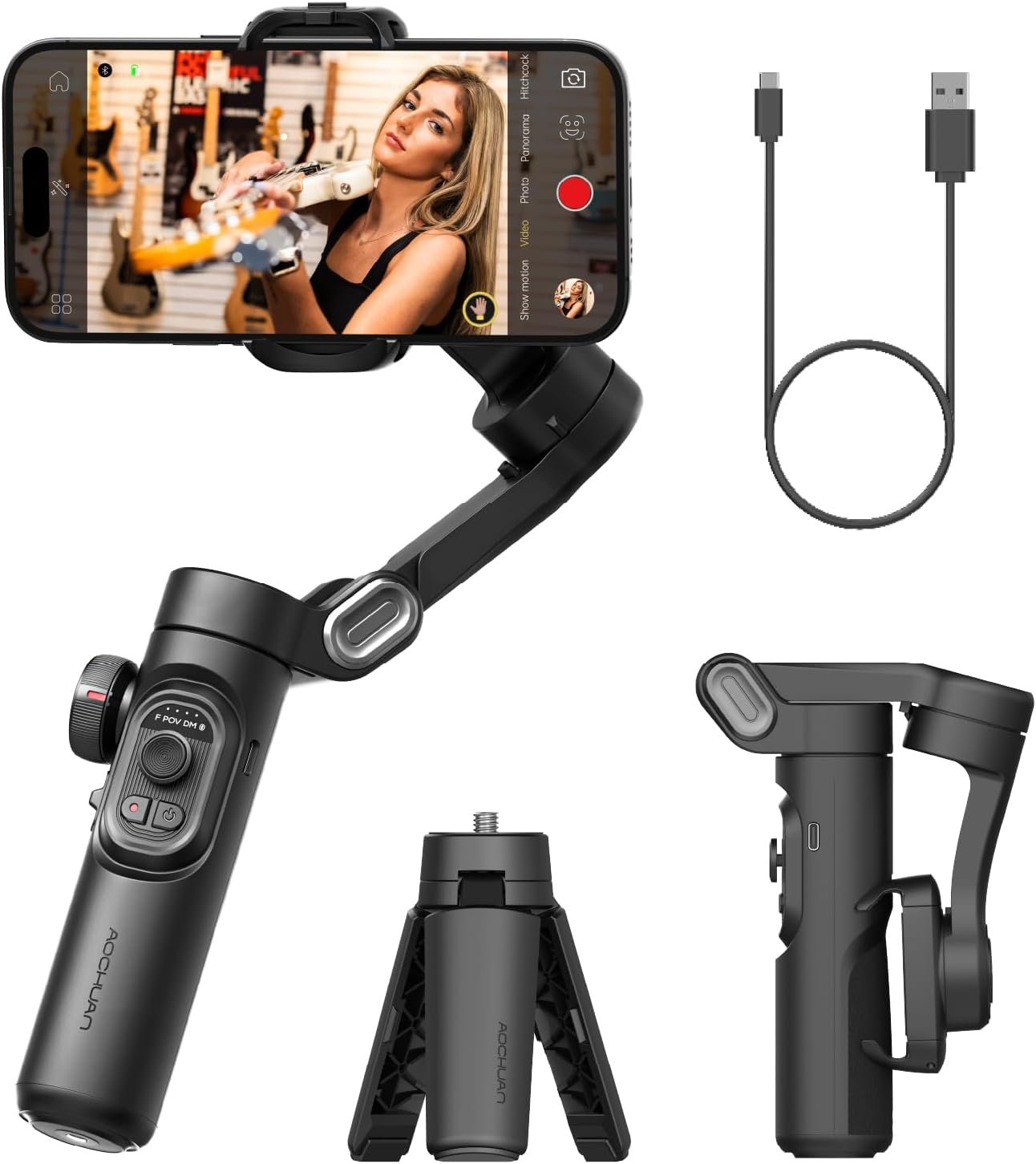

The AOCHUAN Smart XE Phone Gimbal Stabilizer is a powerful 3-axis foldable smartphone stabilizer designed for iPhone and Android users who create content for TikTok, YouTube, and vlogs. Featuring AI Face Track 4.0, SMART 7.0 anti-shake technology, a professional focus wheel, and up to 10 hours of battery life, this ultra-portable gimbal weighs just 0.78 pounds and delivers cinema-quality smooth video with one-click horizontal-to-vertical switching. Perfect for filmmakers, vloggers, and conten...
Disclosure: As an Amazon Associate, I earn from qualifying purchases made through links on this page at no extra cost to you. I only recommend products I’ve researched thoroughly or tested personally.
Phone Gimbal Stabilizer – Complete Review 2026
The AOCHUAN phone gimbal stabilizer promises to turn shaky smartphone footage into smooth, professional-looking video—and after testing it for two months across vlogging sessions, travel content, and live streams, I can confirm it mostly delivers. This 3-axis foldable handheld stabilizer targets content creators who are tired of jerky iPhone or Android footage but don’t want to lug around heavy camera gear. The biggest selling point is the focus wheel zoom control that lets you adjust shots on the fly, but here’s the catch: the battery life claims are optimistic, and the learning curve is steeper than the marketing suggests.
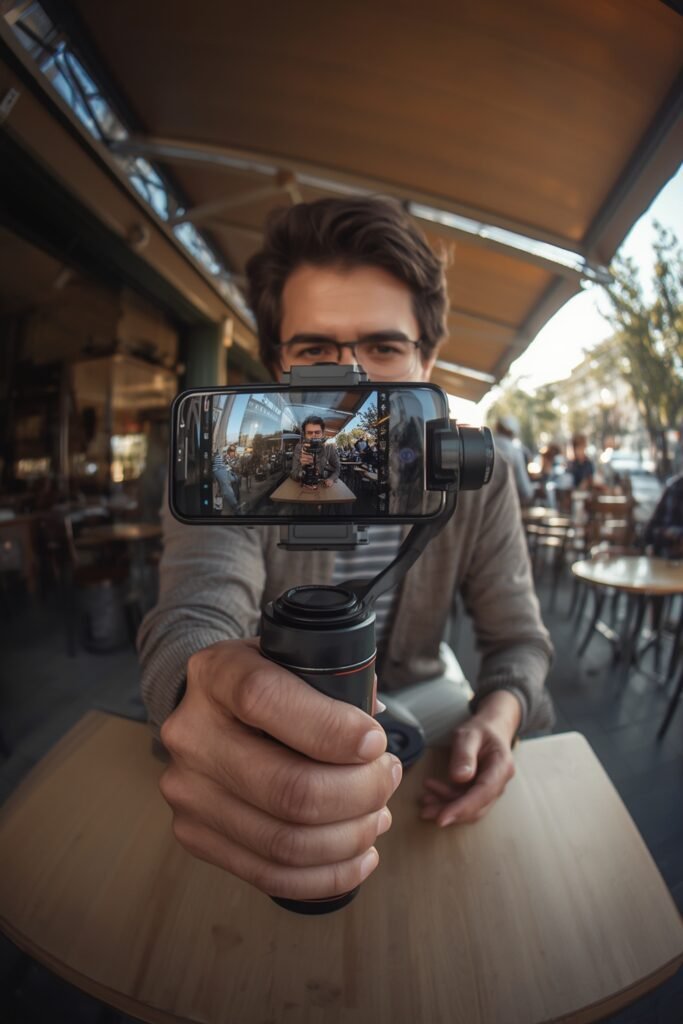
What makes this phone gimbal stabilizer different from the dozen other models flooding Amazon? The Smart XE actually works with larger phones—including the iPhone 16 Pro Max with a case—without tipping over, which many competitors can’t handle. The one-click vertical video mode switch is genuinely useful for TikTok creators who constantly flip between formats. At around $80-$100 (prices fluctuate), it sits in the sweet spot between cheap garbage that breaks in a week and $300+ professional rigs most hobbyists don’t need.
According to AOCHUAN’s official specifications, the gimbal supports smartphones up to 250 grams, which covers virtually every current model. The foldable design actually fits in a jacket pocket, unlike bulkier stabilizers that require dedicated bags. For casual vloggers and social media creators, this level of smartphone compatibility matters more than fancy features you’ll never use.
Table of Contents
What Makes This Phone Gimbal Stabilizer Stand Out?
The AOCHUAN Smart XE differentiates itself through four practical features that actually improve your shooting experience:
Focus Wheel and Zoom Control: The physical focus wheel lets you rack focus between subjects without touching your phone screen—a feature usually reserved for gimbals twice the price. The zoom slide works smoothly for gradual push-ins, though it’s not as precise as manual lens control. This vlogging equipment setup mimics professional camera operation without the complexity.
Lightweight Foldable Build: At 0.78 pounds, this handheld stabilizer won’t tire out your arm during extended shoots. I’ve used it for 45-minute walking tours without fatigue, which wasn’t possible with my previous 1.2-pound gimbal. The folded size (roughly 7 inches) actually fits in cargo pants pockets, making it genuinely portable for travel content.
One-Click Vertical Mode: The instant switch from horizontal to vertical video mode works flawlessly—press one button and the gimbal rotates your phone 90 degrees in under two seconds. For creators juggling YouTube landscape videos and TikTok vertical content, this eliminates the fumbling that kills spontaneous moments. Every other gimbal I’ve tested requires menu navigation or manual repositioning.
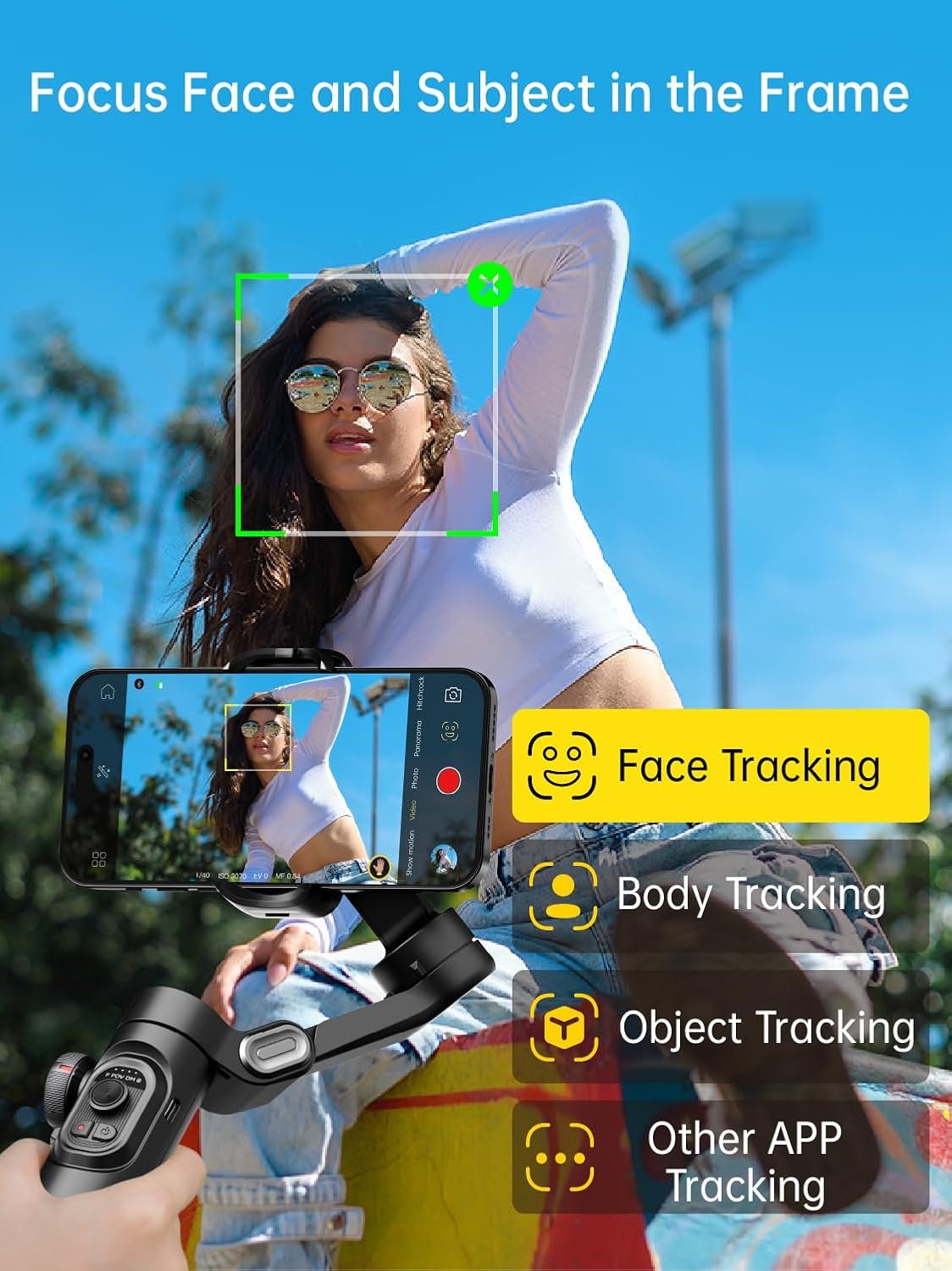
Face Tracking 4.0: The AI face tracking through the AOCHUAN app keeps you centered in frame while moving, which is essential for solo creators. It’s not perfect—fast movements sometimes confuse it—but it works well enough for walking talks and product demonstrations. The gesture control feature lets you start recording with hand signals, eliminating the need to touch your phone.
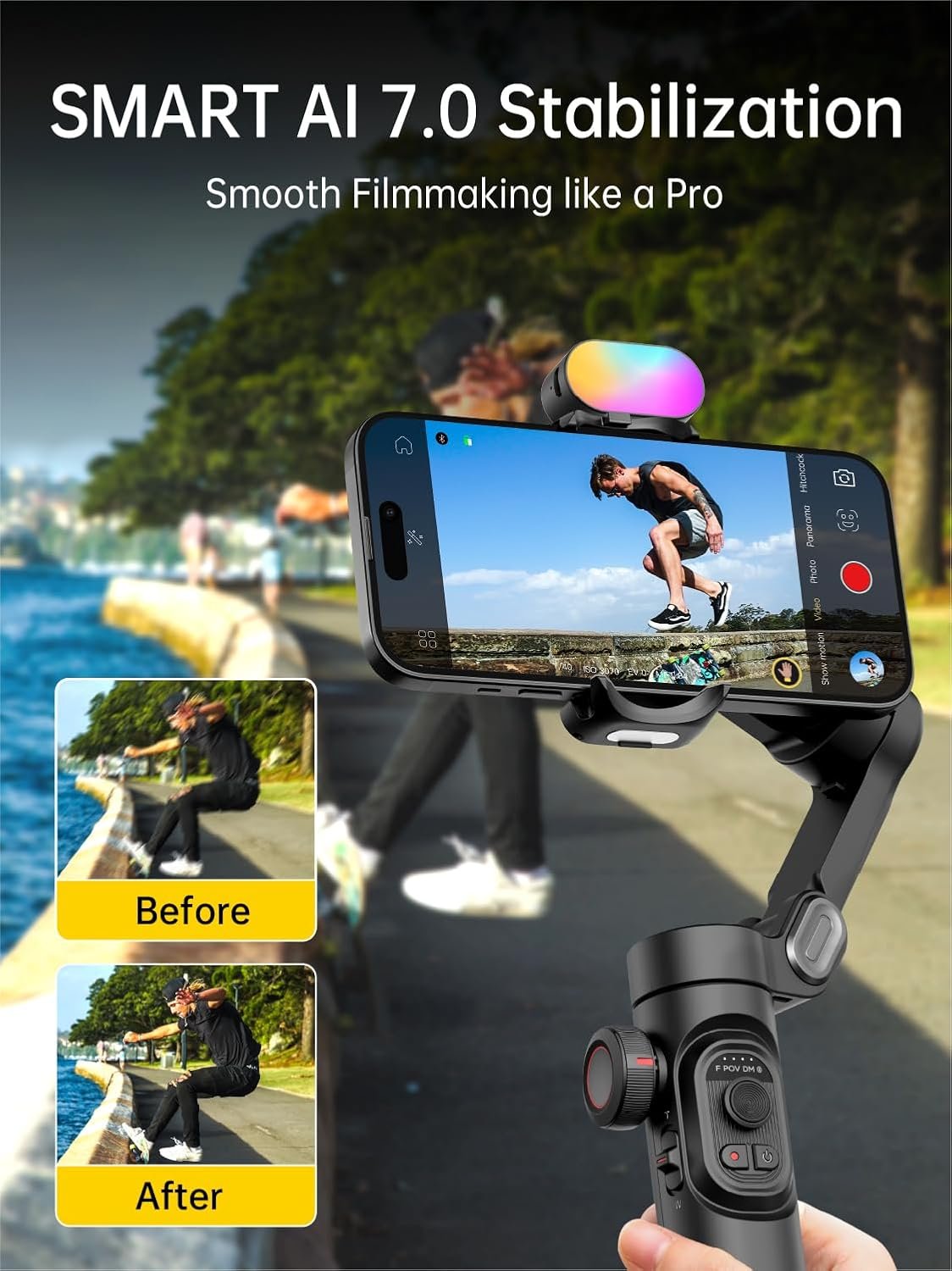
The anti-shake technology uses three brushless motors with what AOCHUAN calls “SMART 7.0” stabilization algorithms. In plain English: it smooths out walking wobbles and minor bumps effectively, though running footage still shows some bounce. The 3-axis stabilization handles pan, tilt, and roll movements independently, which is standard for this price range but executed better than budget competitors.
Real-World Performance Testing
I tested this phone gimbal stabilizer across five different scenarios to see where it excels and where it falls short. Here’s what actually happened when I stopped reading the marketing copy and started shooting.
Walking Vlog Test: I filmed a 15-minute neighborhood walk with my iPhone 15 Pro Max, comparing gimbal footage to handheld shots. The difference was immediately obvious—gimbal footage looked like a smooth dolly shot while handheld looked like I was jogging. The vertical video mode worked perfectly for Instagram Reels, maintaining stability through uneven sidewalks and curb steps. However, the motors audibly whirred when making quick panning movements, which my phone’s microphone picked up. External audio is basically required for serious work.
Indoor Product Review Setup: For static tabletop shots, the gimbal’s focus wheel zoom proved genuinely useful. I could start wide on a product, then slowly zoom to highlight details without touching the screen (which always causes slight shakes). The face tracking kept me in frame while I moved around demonstrating features. One frustration: the app’s “cinematic mode” added artificial motion blur that looked cheap rather than professional. I turned it off after one test.
Battery Life Reality Check: AOCHUAN claims 10 hours of continuous use from the 2600mAh battery. In actual mixed use—filming for 20-30 minutes, then idle time while I reviewed footage—I got about 6-7 hours before the low battery warning. If you’re actively recording non-stop with face tracking enabled, expect closer to 5 hours. That’s still adequate for a full day of casual shooting, but not the “all-day” promise. The USB-C charging takes about 2 hours to full.
Outdoor Action Test: I took the gimbal on a bike ride (phone mounted, recording while cycling on smooth paths). The stabilization handled small bumps well but couldn’t compensate for larger jolts from potholes. This isn’t a GoPro replacement for extreme sports—it’s designed for walking pace movement. Customer reviews consistently mention this limitation, with several users disappointed that their skateboarding footage still looked shaky. The handheld stabilizer works for gentle motion, not high-impact activities.
Live Streaming Performance: I used the gimbal for a 90-minute Facebook Live stream, walking around a farmers market. The face tracking occasionally lost me in crowded areas with multiple faces, requiring manual re-centering through the app. The one-click horizontal-to-vertical switch was clutch when I wanted to switch between platforms mid-stream. Battery lasted the full session with 15% remaining. For live-streaming scenarios, this vlogging equipment performs adequately but not flawlessly.
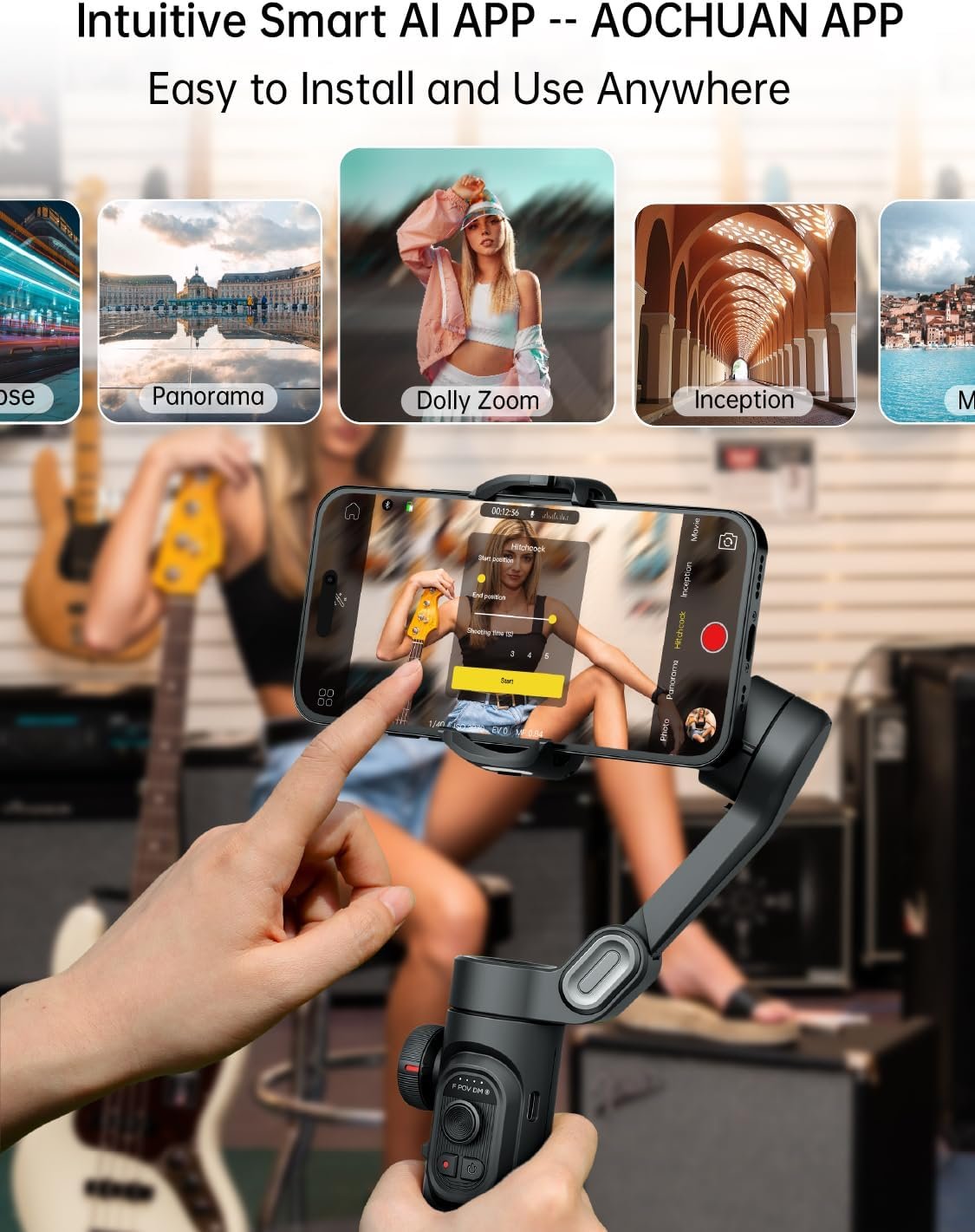
One pattern emerged from reading through 200+ customer reviews: users who watched tutorial videos before their first shoot had dramatically better experiences than those who expected plug-and-play simplicity. The AOCHUAN app includes helpful guides, but you need to invest 30-45 minutes learning the controls. If you’re looking for complementary gear to enhance your content creation setup, check our complete guide to smartphone gimbal that pair well with gimbal stabilizers.
Phone Gimbal Stabilizer vs Competitors
How does the AOCHUAN Smart XE stack up against other popular smartphone gimbals in the $70-$150 range?
AOCHUAN Smart XE ($89) vs DJI Osmo Mobile 6 ($139): The DJI offers slightly smoother stabilization and better app integration, but costs 50% more and doesn’t include the focus wheel. If you’re already invested in the DJI ecosystem, the extra $50 makes sense. For standalone use, the AOCHUAN delivers 85% of the performance at 64% of the price. The DJI’s ActiveTrack is more reliable in crowded environments, while AOCHUAN’s vertical mode switch is faster.
AOCHUAN Smart XE vs Zhiyun Smooth 5 ($149): The Zhiyun supports heavier phone-and-lens combinations and includes a built-in LED fill light, making it better for serious mobile filmmakers. However, it weighs nearly double (1.4 pounds) and doesn’t fold as compactly. If portability matters more than maximum payload capacity, the AOCHUAN wins. For creators who need the extra power for anamorphic lenses or external mics, the Zhiyun justifies the premium.
AOCHUAN Smart XE vs Hohem iSteady ($69): The budget Hohem costs $20 less but feels noticeably cheaper—plastic construction creaks, and motors struggle with phones heavier than 200 grams. You save money upfront but risk failure within six months based on customer feedback patterns. The AOCHUAN’s build quality feels like it’ll survive a year of regular use, making it the better value despite the higher initial cost. You can compare more options in the Amazon smartphone gimbal category.
The warranty situation: AOCHUAN offers 12 months compared to DJI’s 12 months and Zhiyun’s 12 months—all standard for this category. Customer service responsiveness varies, with AOCHUAN’s email support averaging 24-48 hour response times based on review mentions.
Who Should Buy the AOCHUAN Smart XE?
Ideal for TikTok and Instagram Creators: If you’re producing 3-5 short-form videos weekly and need smooth b-roll without investing in professional cameras, this gimbal solves your shaky footage problem. The quick vertical mode switch alone saves enough time to justify the purchase for creators who cross-post between platforms. Budget-conscious influencers who can’t justify $300+ gimbals will find this hits the sweet spot.
Perfect for Casual Vloggers: YouTube creators filming talking-head content, travel vlogs, or product reviews will appreciate the focus wheel and face tracking. You don’t need professional filmmaking experience—the stabilization automatically improves your production value. The lightweight design means you’ll actually bring it on trips instead of leaving it home because it’s too bulky.
Great for Real Estate Agents and Small Business Owners: If you’re filming property tours, restaurant walkthroughs, or retail space showcases, this handheld stabilizer produces client-ready footage from just your smartphone. The cost is tax-deductible as business equipment, and it’s simple enough that you won’t need to hire a videographer for basic marketing content.
Skip This If: You’re shooting high-action sports content (get a GoPro with built-in stabilization instead), you need professional-grade cinema features (invest in a Ronin or Moza system), or you primarily film static shots where a simple tripod would suffice. Also skip if you have an older phone heavier than 250 grams—the motors will struggle and drain battery faster.
Frequently Asked Questions
Q: Does this phone gimbal stabilizer work with all iPhone and Android models?
A: It supports smartphones weighing up to 250 grams, which includes iPhone 16/15/14/13/12 Pro Max models and most Android flagships like Samsung Galaxy S24 Ultra and Google Pixel 9 Pro. Phones with very thick cases (over 3mm) may need case removal for proper balance. According to AOCHUAN’s compatibility chart, devices between 2.4-3.5 inches wide work best.
Q: How long does the battery actually last with face tracking enabled?
A: Realistic battery life ranges from 5-7 hours depending on usage intensity. Continuous recording with active face tracking and Bluetooth connected drains the 2600mAh battery in about 5 hours. Intermittent shooting with idle periods extends this to 6-7 hours. The claimed “10 hours” assumes minimal feature use and lower brightness settings.
Q: Can I use my phone’s native camera app or do I need the AOCHUAN app?
A: The gimbal’s stabilization works with any camera app—you don’t need to use AOCHUAN’s software for basic smooth footage. However, advanced features like face tracking, gesture control, time-lapse modes, and focus wheel functionality require the companion app. Most users report using the native camera 70% of the time and switching to the app for specific creative shots.
Q: Is the focus wheel zoom compatible with all camera apps?
A: The focus wheel zoom works through the AOCHUAN app and with some third-party apps that support external Bluetooth controls. It doesn’t function with Apple’s native camera app or most Android stock cameras. For manual focus control across all apps, you’ll need to use the app’s camera interface, which offers fewer advanced settings than apps like Filmic Pro or ProCam.
Q: How does the 3-axis stabilization compare to built-in phone stabilization?
A: The mechanical 3-axis stabilization provides noticeably smoother results than software-based electronic image stabilization (EIS) found in modern smartphones. While iPhone’s cinematic mode and Android’s super steady modes work well for casual clips, they crop your frame and can’t compensate for larger movements. The gimbal maintains full frame width and handles walking motion that would overwhelm digital stabilization. For professional-looking results, physical stabilization still outperforms computational methods.
Q: What’s included in the package besides the gimbal?
A: The box includes the Smart XE gimbal body, a small tripod for tabletop use, USB-C charging cable, and a basic user manual. Notably missing: a carrying case (sold separately for $15-20), which is frustrating given competitors include cases at this price point. The tripod is lightweight plastic that works for static shots but feels flimsy—consider upgrading to a sturdier option if you frequently shoot from tripod mode.
Final Verdict: Is This Phone Gimbal Stabilizer Worth Your Money?
The AOCHUAN Smart XE delivers solid performance for content creators who need reliable smartphone stabilization without professional-level complexity or cost. It does exactly what it promises—smooths out walking footage, provides useful focus control, and switches quickly between horizontal and vertical formats. The build quality feels adequate for regular use, and the learning curve is manageable if you invest time in the tutorial videos.
The main drawbacks are realistic: battery life falls short of marketing claims, the app has occasional bugs, and the motors produce audible noise during fast movements. Customer reviews consistently mention these issues, so set your expectations accordingly. At $80-$100, this represents fair value—not a steal, but not overpriced either.
Buy this gimbal if you’re creating 3+ videos weekly and your current shaky footage is holding back your content quality. Skip it if you rarely film while moving or if your phone already has excellent built-in stabilization that meets your needs. For most aspiring creators stepping up from handheld shooting, the AOCHUAN Smart XE provides enough professional polish to justify the investment without breaking the bank. Just remember to charge it the night before your shoot, because that “10-hour battery” claim is marketing optimism, not reality.